Serial Ports
CONFIGURE > Serial Ports
Click CONFIGURE > Serial Ports. A list of serial ports appears.
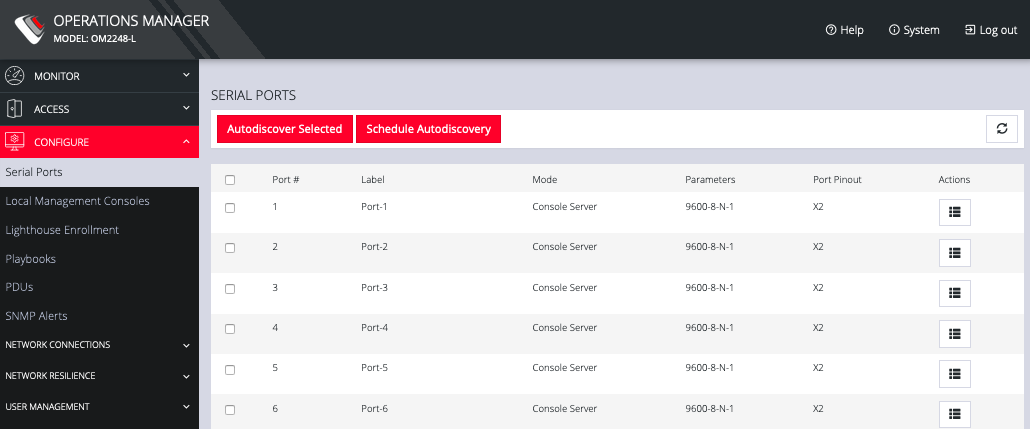
This page lets you select serial ports and Autodiscover Selected ports.
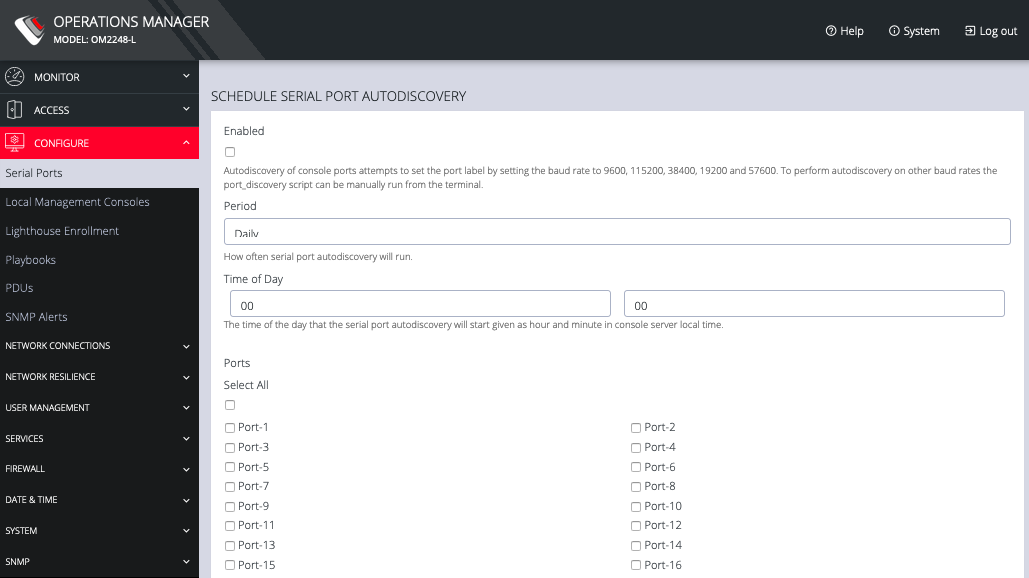
You can Schedule Autodiscover by clicking the button. This opens a page that allows you to select the ports and specify a time and period for port detection to occur.
From the Configure > Serial Ports page, click theEdit Serial Port button under Actions next to the Serial Port you wish to configure. The Edit Serial Port page opens.
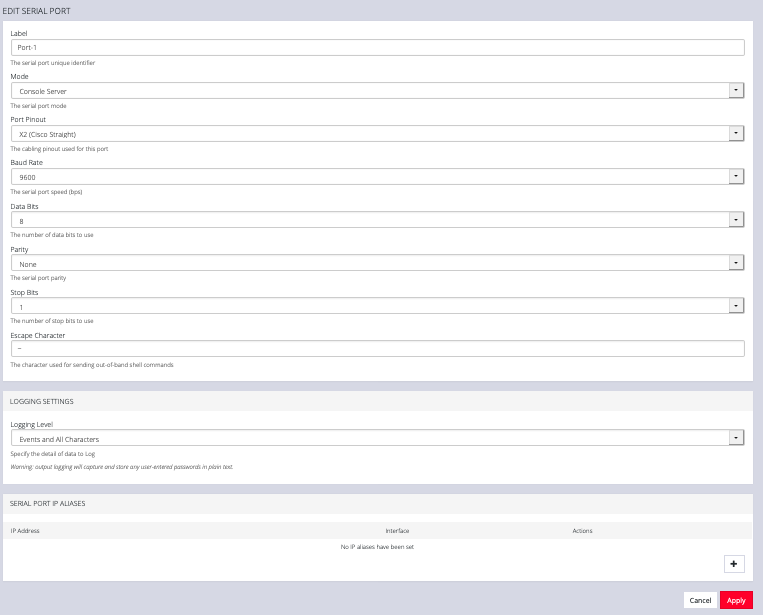
The Edit Serial Port page lets you configure the serial port’s:
-
Label: This can be used to locate this port using the Quick Search form on the ACCESS > Serial Ports page.
-
Mode: Disabled or Console Server
-
Pin out: X1 Cisco Rolled or X2 Cisco Straight
-
Baud Rate: 50 to 230,400 bps
-
Data Bits: 5, 6, 7, 8
-
Parity: None, Odd, Even, Mark, Space
-
Stop Bits: 1, 1.5, 2
-
Logging Levels
-
Serial Port Aliases